
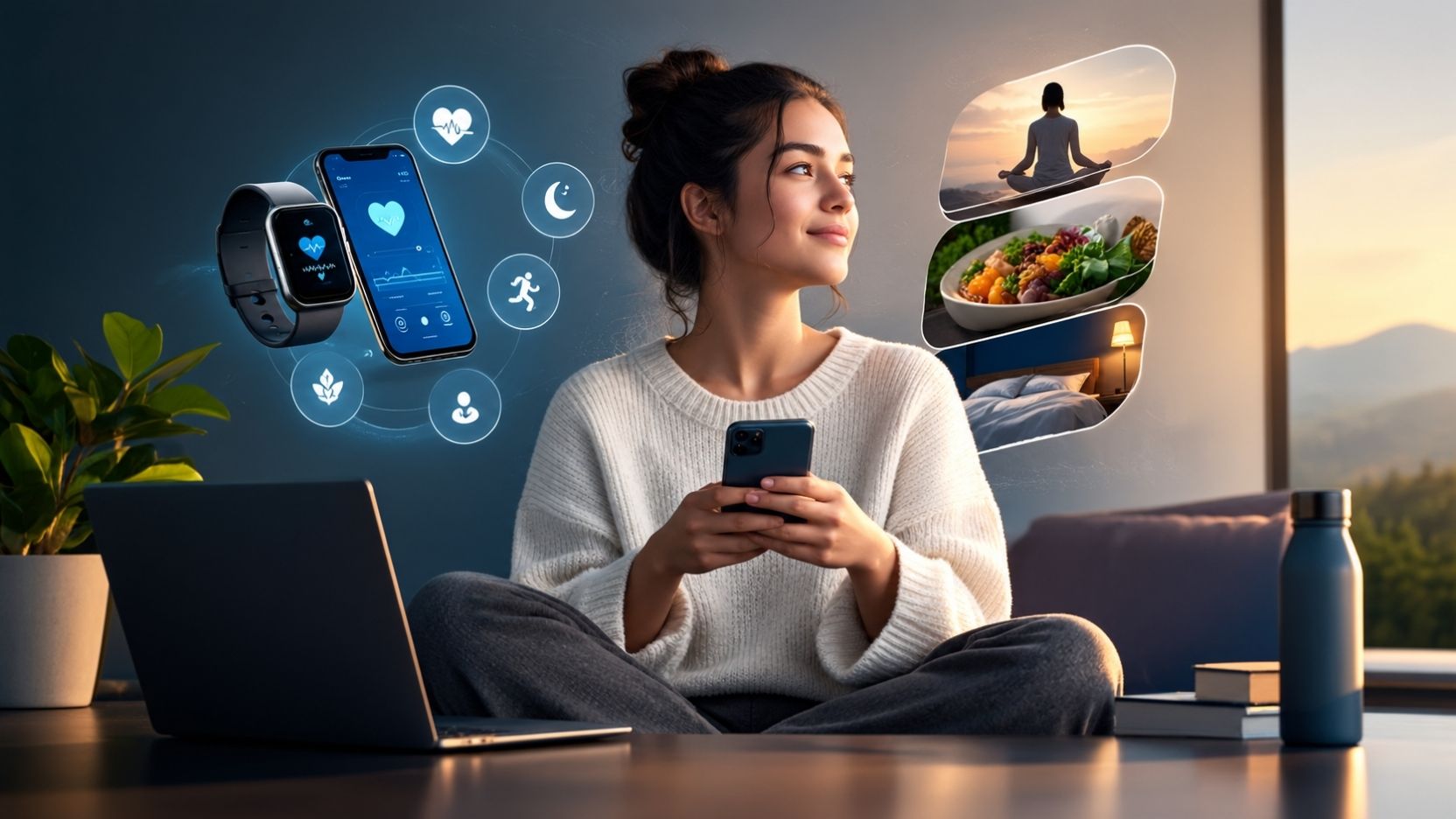
Digital health and wellness means looking after your body, mind, and relationships while you use technology. In schools, it is one of the nine elements of digital citizenship. In healthcare, “digital health” is a wider field covering apps, wearables, telehealth, and health data systems. This guide explains both meanings, shows real examples, weighs the risks and benefits, and gives habits you can start today.
What Does Digital Health and Wellness Actually Mean?
The phrase is used in two different ways. Which one applies depends on whether you are reading a school lesson or a healthcare report. Both are valid, and they overlap more than most people expect.
What does it mean in digital citizenship?
In education, digital health and wellness is one of nine elements in Mike Ribble’s digital citizenship framework. The framework describes it as the physical and psychological wellbeing related to digital technology use.
The other eight elements are access, commerce, communication, literacy, etiquette, law, rights and responsibilities, and security. Ribble defines digital citizenship as the norms of appropriate, responsible behavior with regard to technology use. Health and wellness sits inside that bigger idea of using technology well.
So the classroom meaning is personal and behavioral. It asks: how is my technology use affecting my eyes, sleep, posture, mood, and relationships?
What does “digital health” mean in healthcare?
In healthcare, digital health is about using technology to improve health outcomes and care. The World Health Organization describes it as the systematic use of information and communications technologies, computer science, and data to support informed decisions by individuals, the health workforce, and health systems.
That covers a lot of ground. Patient portals, telemedicine visits, fitness trackers, electronic health records, and symptom checkers all count.
Experts admit the term is fuzzy. One review examined 1,527 records and found 95 unique definitions of digital health. Another academic source calls it a blanket term that covers many themes and applications.
How are the two meanings different?
The easiest way to separate them is by asking who is acting. The table below shows the contrast.
| Question | Digital Citizenship Meaning | Healthcare Meaning |
| Main focus | Healthy personal habits with technology | Using technology to deliver or improve care |
| Typical setting | Classrooms, homes, workplaces | Hospitals, clinics, apps, public health |
| Common examples | Screen breaks, sleep routines, online balance | Telehealth, wearables, health apps, records |
| Who it is for | Students, parents, teachers, everyone online | Patients, clinicians, health systems |
Most people searching this phrase want the first meaning. This guide covers both, because your daily habits and your health apps now influence each other.
See More: Environmental Wellness Definition
Why Does Digital Health and Wellness Matter?
Technology is no longer something we sit down to use. It is how we work, learn, shop, talk to friends, and often how we see a doctor. Because it is always on, its effects on health are always present too.
Here are the main reasons this topic deserves attention:
- Screens affect the body. Eyes, neck, back, and sleep all respond to how we use devices.
- Technology shapes mood. Social media and constant notifications can affect stress, comparison, and self esteem.
- Health data is sensitive. Apps and wearables collect information that people expect to stay private.
- Habits form early. Children who learn balanced tech use now are better prepared as teens and adults.
- Technology can also help. Telehealth, reminders, and tracking tools make care easier to reach.
That last point matters. Digital wellness is not about fearing devices. It is about using them on purpose, so they support your life instead of running it.
What Are Some Real Examples of Digital Health and Wellness?
Examples help make an abstract idea concrete. Some are about healthy habits, and others are about health technology itself.
Everyday habits that show good digital wellness
You may already practice digital wellness without calling it that. These are common examples:
- Turning off notifications before bed
- Taking a short break from the screen every hour
- Keeping phones out of reach during meals
- Adjusting screen brightness in dim rooms
- Stretching or walking between long computer sessions
- Muting accounts that make you feel worse about yourself
- Telling a trusted adult when something online feels upsetting
Digital health tools and platforms
Digital health tools are the technologies built to support health directly. The table below groups the most familiar types.
| Tool Type | What It Does | Common Example |
| Telehealth | Connects patients and clinicians by video, phone, or message | A virtual visit for a rash or a prescription refresh |
| Patient portal | Lets patients view results and message their care team | Checking lab results online |
| Wearable device | Tracks activity, heart rate, or sleep patterns | A smartwatch or fitness band |
| Wellness app | Supports meditation, exercise, nutrition, or habit tracking | A guided breathing or step counting app |
| Remote monitoring | Sends health readings to a care team between visits | A connected blood pressure cuff |
| Electronic health record | Stores a patient’s medical history digitally | A clinic’s secure chart system |
| Screen time tools | Show and limit device use | Built in phone usage reports |
Research on how digital health is defined has found that mobile health is a dominant concept, closely linked to telehealth, eHealth, and artificial intelligence in healthcare. In other words, much of what people call digital health runs on a phone.
Examples for students
Students meet digital wellness in simple, practical ways. A fourth grader might follow a family screen schedule. A middle schooler might use a focus mode during homework.
A high school student might notice that late night scrolling hurts their sleep. Then they choose to charge the phone outside the bedroom. These small decisions are exactly what digital citizenship lessons aim to build.
What Are the Advantages and Disadvantages of Digital Health?
Digital health has real strengths and real weaknesses. A fair look at both helps you decide how much to rely on it.
| Advantages | Disadvantages |
| Care can reach people far from clinics | Not everyone has reliable internet or devices |
| Appointments can be faster and more convenient | Some conditions need an in person exam |
| Wearables help people notice patterns | Data can be inaccurate or misread |
| Health records are easier to share with permission | Privacy and security risks increase |
| Reminders support medication and routines | Constant tracking can create anxiety |
| Information is easy to find | Misinformation is also easy to find |
Where digital health helps most
Digital tools shine when distance, time, or routine are the barriers. A parent can book a quick visit without leaving work. A person managing a long term condition can share readings with a care team between appointments.
Apps can also lower the barrier to starting healthy habits. Many people try meditation or exercise tracking first on a phone because it feels low pressure.
Where digital health falls short
Technology cannot replace every part of care. A video visit cannot measure everything a clinician might check in person. A wearable’s number is a clue, not a diagnosis.
There is also a fairness issue. People without stable internet, modern devices, or digital confidence may be left behind. A tool that helps most people can still widen gaps for others.
What Does the Research Say About Screens, Social Media, and Mental Health?
This is the most debated part of the topic, so it helps to stay careful. The evidence is real but still developing.
In 2023, U.S. Surgeon General Vivek Murthy issued an advisory on social media and youth mental health. It said social media may benefit some young people, but there are ample indicators it can also pose a profound risk of harm to their mental health and wellbeing.
The advisory included some striking numbers:
- Teens reported using social media about 3.5 hours a day on average, and many spent more than seven hours.
- Adolescents who spend more than three hours a day on social media were reported to be twice as likely to experience poor mental health outcomes, such as symptoms of depression and anxiety.
- The advisory said youth use is nearly universal, with up to 95% of teenagers on social networks.
Those figures show an association, not proof that screens alone cause harm. The advisory itself called for more research. It also noted that most adolescents say social media helps them feel more connected to friends, more supported, and more creative.
The practical lesson is balance. How long, when, and what a person does online all matter. A teen chatting with supportive friends is different from a teen scrolling for hours at midnight.
A note on getting help: If you or someone you know is struggling with mental health, the 988 Suicide and Crisis Lifeline is available in the U.S. by calling or texting 988.
See More: Wellness Tips
How Do Screens Affect Your Eyes, Body, and Sleep?
Physical effects are easier to notice than psychological ones. Most are mild and fixable.
Why do screens make eyes tired?
Long screen sessions often lead to digital eye strain. The American Academy of Ophthalmology says symptoms can include dry eyes, blurry vision, watery eyes, and headaches, partly because people blink less while staring at screens.
There is good news here. The same source says screens do not damage eye health, and that small amounts of blue light from computers have not been shown to harm eyes. So special blue blocking glasses are not necessary for most people.
Does the 20/20/20 rule work?
The rule is simple. Every 20 minutes, look at something about 20 feet away for at least 20 seconds. Both the American Optometric Association and the American Academy of Ophthalmology recommend it.
Be honest about the evidence, though. Little scientific research has tested the rule directly, and one small 2020 study found no change in self reported symptoms after 20 days. Even so, taking regular breaks is harmless and often feels better.
If strain keeps coming back, see an eye care professional. Uncorrected vision is a common hidden cause.
What about posture and movement?
Long periods of sitting with a bent neck can leave you sore. Phones pull the head forward, and laptops often sit too low.
A few small changes help:
- Raise the screen to roughly eye level
- Keep feet flat and back supported
- Stand, stretch, or walk for a few minutes each hour
- Switch between sitting and standing if you can
How do devices affect sleep?
Phones in bed make it easy to stay up later than planned. Notifications can also wake you or pull you back into the screen.
A simple routine helps. Stop using screens a while before bed, silence alerts, and charge devices away from the pillow. If sleep problems continue, talk with a doctor rather than relying on apps alone.
What Is the Psychological Side of Digital Wellness?
Mental wellbeing is the part of digital health that people find hardest to describe. It shows up as mood, focus, and how we feel about ourselves.
Common concerns include:
- Social comparison. Seeing curated highlights of other people’s lives can make ordinary life feel lacking.
- Constant interruption. Frequent alerts make it harder to focus and relax.
- Cyberbullying and harassment. The Surgeon General’s advisory reported that 75% of teens felt social media sites were doing only a fair to poor job of addressing cyberbullying and online harassment.
- Fear of missing out. The pressure to stay connected can make stepping away feel risky.
- Doomscrolling. Endless negative news can leave people anxious and drained.
Notice how you feel during and after use. If a certain app reliably leaves you worse off, that is useful information. You are allowed to change how you use it, or leave it.
How Can You Maintain Digital Health and Wellness? Practical Tips
Good habits are small, specific, and repeatable. Here is a starter set that works for most people.
A simple daily routine
- Set a start and stop time. Decide when your screen day begins and ends.
- Take regular eye and body breaks. Look away, blink, stretch, and move.
- Protect your sleep. Keep phones out of bed and silence nonessential alerts.
- Choose what you consume. Unfollow accounts that drain you. Follow ones that teach or support you.
- Make some places screen free. Meals, bedrooms, and car rides are easy starting points.
- Pause before posting or replying. A short wait prevents many regrets.
- Check in with yourself. Ask how you feel after a session, not just how long it lasted.
Tips for students
Students do best with clear, realistic rules rather than total bans. Try these:
- Finish homework before entertainment scrolling
- Use focus modes during study time
- Talk to a parent, teacher, or counselor if something online upsets you
- Keep passwords private and report bullying instead of replying to it
Tips for parents and caregivers
Children copy what they see. Adults who put phones down during dinner make that rule easier to follow.
Helpful steps include:
- Agreeing on family screen rules together
- Keeping devices out of bedrooms overnight
- Talking openly about what children see online
- Using built in parental controls, while keeping the conversation going
Controls help, but trust helps more. A child who feels safe talking to you will tell you about problems sooner.
Tips for adults and remote workers
Work blurs the line between on and off. Without limits, the laptop follows you everywhere.
Consider setting a clear shutdown time, using a separate space for work, and muting work chat after hours. Walk meetings and phone calls without video can also give your eyes and back a rest.
Is Your Health Data Safe in Apps and Wearables?
Digital health is not only about habits. It is also about protecting information. This links directly to the digital security element of digital citizenship.
Many people assume every health app is covered by HIPAA. That is often not true. HIPAA applies only to covered entities and their business associates, so it generally does not protect a direct to consumer health app.
The Federal Trade Commission fills part of that gap. Its Health Breach Notification Rule requires vendors of personal health records and related entities not covered by HIPAA to notify individuals, the FTC, and sometimes the media after a breach of unsecured health data. The FTC updated the rule on April 26, 2024, to make clear it covers health apps and similar technologies.
The rule helps, but you still need to protect yourself. Before downloading a health or wellness app, ask:
- What information does it collect?
- Does it share data with advertisers or other companies?
- Can I delete my data and my account?
- Is there a clear, readable privacy policy?
- Does it use strong login protection?
Use strong, unique passwords and turn on two step verification when offered. Share sensitive details only when you understand why an app needs them.
How Is Digital Health and Wellness Taught in Schools?
Schools usually teach this topic as part of digital citizenship. The goal is not to scare students. It is to build judgment they can use for life.
What does a good lesson include?
Ribble recommends teaching the content at every grade level through four stages: awareness, guided practice, modeling or demonstration, and feedback or analysis. That means students first learn the idea, then practice it, see it modeled, and reflect on results.
Ribble also groups the elements into three themes called Respect, Educate, and Protect. Health and wellness fits naturally into the idea of protecting yourself.
What works for younger students, such as Grade 4?
Fourth graders are typically around nine or ten years old. They learn best with concrete, hands on activities rather than abstract warnings. Always check your own district’s standards, since requirements vary.
Activity ideas include:
- Drawing a “healthy tech day” that shows screen time balanced with play, reading, sleep, and family time
- Making a poster of simple rules, such as take eye breaks, ask before sharing, and tell an adult if something feels wrong
- Sorting examples into “healthy choice” and “unhealthy choice” cards
- Keeping a short, honest log of screen time for a week, then discussing patterns
What makes a strong poster, drawing, or presentation?
A good poster or drawing is clear at a glance. Use a few bold images and a short message.
Strong themes include balance, taking breaks, sleep, kindness online, and asking for help. For a presentation or slide deck, keep each slide to one idea, add a real example, and end with a challenge students can try that week.
Many teachers and families also look for printable resources. When you find a PDF or slide deck, check that it names its source, reflects current guidance, and fits the age group. Free materials vary a lot in quality.
How Do You Choose a Digital Health or Wellness Platform?
The market is crowded, and quality varies. A polished design does not prove an app is accurate or safe.
Use this checklist before you commit:
| What to Check | Why It Matters |
| Who built it | Clinicians, universities, and established health organizations add credibility |
| Evidence behind it | Look for studies or expert review, not just testimonials |
| Privacy practices | You should know what is collected and who sees it |
| Clear limits | Good tools say what they cannot do, and when to see a professional |
| Cost and upsells | Some free tools push expensive subscriptions or sell your data |
| Ease of use | A tool you will actually use beats a perfect one you ignore |
Be cautious with anything that promises a cure, diagnosis, or dramatic results. Apps can support care. They should not replace a doctor, especially for symptoms that are new, severe, or worsening.
What Should Health and Wellness Brands Know About Digital Marketing?
Some readers arrive here because they work in health and wellness marketing. The same principle applies: trust is everything.
Health content affects real decisions, so accuracy matters more than clever copy. A few guidelines hold up well:
- Back claims with evidence. Avoid promising cures or guaranteed outcomes.
- Be transparent about data. Explain clearly what you collect and why.
- Mind the rules. Health marketing can touch on privacy, advertising, and consumer protection laws. Consult a qualified attorney or compliance professional for specific situations.
- Show real expertise. Have qualified professionals review medical content.
- Respect the audience. Avoid shame based messaging about bodies or health.
If you hire an agency that specializes in health and wellness, ask how they handle sensitive data, medical claims, and compliance. A good partner will welcome those questions.
What Careers Exist in Digital Health and Wellness?
The field is broad, so jobs span many skill sets. Not all require a clinical degree.
Common career areas include:
- Clinical roles. Telehealth physicians, nurses, therapists, and health coaches
- Technology roles. Software developers, data analysts, and security specialists for health platforms
- Health informatics. Specialists who manage and interpret health data systems
- Product and design. Teams who build easy to use health apps and portals
- Education. Teachers and trainers in digital citizenship and wellness programs
- Policy and compliance. Professionals who handle privacy, regulation, and ethics
Requirements differ by role and employer. Check current job listings and professional organizations for the qualifications each position expects.
What to Take Away From All This
Digital health and wellness has two connected meanings. In school, it means keeping your body and mind healthy while using technology. In healthcare, it means using technology to improve care and outcomes.
The evidence points toward balance, not fear. Screens can strain eyes, disturb sleep, and affect mood, especially for young people. Technology can also connect people to care, support, and community.
Start small. Take real breaks, protect your sleep, choose what you consume, guard your data, and talk openly with the people around you. Those habits do more than any single app.
See More: Social Wellness Examples
Quick Answers About Digital Health and Wellness
What is digital health and wellness?
It is the practice of staying physically and mentally healthy while using technology. In schools, it is one of the nine elements of digital citizenship. In healthcare, the related term “digital health” covers technology used to improve care.
What is the definition of digital health?
The World Health Organization defines it as the systematic use of information technology, computer science, and data to support informed health decisions and improve health and wellness. Definitions vary, so you may see slightly different wording elsewhere.
Why is digital health important?
It helps people reach care more easily and manage health between visits. It also encourages healthier technology habits. Without those habits, screens can strain eyes, disrupt sleep, and affect mood.
What are examples of digital health and wellness?
Examples include telehealth visits, patient portals, fitness trackers, meditation apps, and screen time limits. Habits count too, such as taking screen breaks and silencing notifications at night.
What are the advantages and disadvantages of digital health?
Advantages include convenience, wider access, and better tracking. Disadvantages include privacy risks, unequal access to devices, inaccurate data, and misinformation. Technology supports care but cannot replace every in person need.
Is digital health and wellness part of digital citizenship?
Yes. It is one of nine elements in Mike Ribble’s framework, alongside access, commerce, communication, literacy, etiquette, law, rights and responsibilities, and security.
How much screen time is too much?
There is no single number that fits everyone. The Surgeon General’s advisory noted that teens using social media more than three hours a day faced higher risk of poor mental health outcomes. What and how you use screens matters too.
Do blue light glasses protect your eyes?
Probably not needed for most people. The American Academy of Ophthalmology says the small amount of blue light from computers has never been shown to harm eyes. Regular breaks are a better strategy.
Are health apps covered by HIPAA?
Often not. HIPAA generally applies to healthcare providers, insurers, and their business associates. Many consumer apps fall outside it, though the FTC’s Health Breach Notification Rule may apply to some.
How can children practice digital wellness?
Children benefit from clear family rules, screen free times, and regular breaks. Open conversation matters most. Kids who feel safe talking about what they see online are more likely to ask for help.
What should I do if technology is hurting my mental health?
Notice which apps or habits make you feel worse, and cut back or mute them. If distress continues, talk to a doctor, counselor, or trusted adult. In the U.S., you can call or text 988 in a crisis.
Can a poster or drawing teach digital wellness?
Yes. Visuals work well for younger students because they make rules memorable. A simple poster showing balance, eye breaks, sleep, and kindness online can start useful classroom conversations.